How to Choose a Mini POS Machine for Your Business?
Choosing a mini pos machine is not simply a matter of selecting the smallest device. It is a practical decision about payments, daily routines, customer service, and business continuity. A compact terminal may sit beside a coffee grinder, market display, or treatment table. Its size saves counter space, but its performance still matters.
The right choice begins with your actual sales environment. A busy café may need fast contactless payments, dependable receipts, and strong Wi-Fi or mobile connectivity. A mobile seller may value battery life, a protective case, and offline transaction features. Check supported payment methods, transaction fees, software compatibility, inventory tools, and staff training requirements. These details often matter more than a bright touchscreen.
Reliable research should include official specifications, independent user feedback, and clear warranty terms. Confirm how the provider protects customer data and manages software updates. Payment security standards and local business requirements should also be verified with qualified professionals or relevant authorities. Do not rely on promotional claims alone.
No device is perfect. A cheaper model may have a weak battery or limited integrations. A premium model may offer features your team never uses. Test the workflow before committing, if possible. Process a sample sale, print or email a receipt, and observe the device during a busy period. This guide explains how to compare a mini POS machine realistically, balancing cost, reliability, usability, and future growth without ignoring small frustrations after installation.
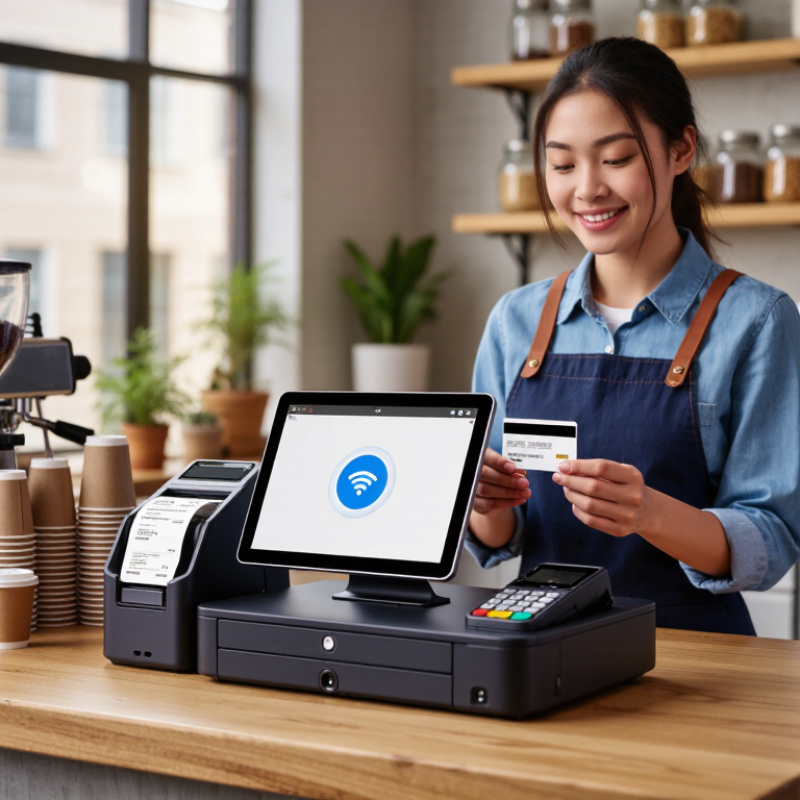
Define Your Business Needs and Point-of-Sale Requirements
Choosing a mini POS machine starts with your daily workflow, not its screen size. Count transactions during your busiest hour. Note average ticket value, staff numbers, table service, mobility, and receipt preferences. A sidewalk seller needs battery life and cellular connectivity. A small café may need quick item lookup, tipping, refunds, and kitchen communication. My practical rule is simple: observe one busy shift before comparing devices.
Payment behavior also matters. Worldpay’s 2024 Global Payments Report estimated digital wallets represented about 30% of global in-store transaction value in 2023. The Federal Reserve’s 2023 Diary of Consumer Payment Choice reported cash at 16% of consumer payments. Your machine should therefore support contactless cards, mobile wallets, chip cards, and cash recording. Do not assume every customer prefers digital payments.
Security and operating conditions deserve equal attention. Confirm user permissions, encrypted connections, automatic updates, offline transaction controls, and exportable sales records. PCI Security Standards Council guidance makes payment-data protection a continuing responsibility, not a one-time setup. Test the device beside a noisy counter. Test it with weak Wi-Fi. Check whether employees can complete a refund without confusion. Small screens can slow service. I underestimated that once. A clear interface may matter more than a lower purchase price. Also measure battery endurance during a full shift, because advertised capacity rarely matches real-world use.
| Business Need | Typical Business Scenario | Recommended Mini POS Profile | Key Point-of-Sale Requirements | Important Specifications | Priority | Selection Notes |
|---|---|---|---|---|---|---|
| Limited Counter Space | Small retail counter, kiosk, salon reception, or compact service desk | Compact countertop or tablet-style terminal | Small footprint, integrated display, minimal cabling, easy placement | Screen size of approximately 10–15 inches; compact stand; integrated payment or peripheral support | High | Measure the available counter area before purchase and allow room for customer interaction. |
| Mobile Checkout | Food truck, market stall, pop-up shop, delivery service, or event vendor | Battery-powered portable POS terminal | Wireless connectivity, long battery life, lightweight construction, rapid startup | Wi-Fi plus cellular or hotspot support; battery designed for a full operating shift; USB-C or equivalent charging | High | Confirm network availability and payment acceptance in every location where the device will be used. |
| High Transaction Volume | Quick-service restaurant, busy convenience store, or high-traffic checkout lane | Fast-response POS with reliable peripheral connectivity | Quick transaction processing, stable software, barcode scanning, receipt printing, and cash-drawer support | Solid-state storage; at least 4 GB RAM for many modern POS applications; USB, Ethernet, or Bluetooth connectivity | High | Prioritize consistent performance and easy replacement of peripherals over unnecessary premium features. |
| Low Transaction Volume | Appointment-based service, small studio, professional office, or occasional retail sales | Entry-level compact POS system | Basic product or service catalog, payment processing, digital receipts, and simple reporting | Reliable Wi-Fi; standard payment connectivity; sufficient storage for the selected POS application | Medium | Avoid paying for advanced inventory, multi-location, or restaurant features that will not be used. |
| Inventory Management | Retail store with many products, variants, or frequently changing stock levels | POS capable of barcode scanning and cloud inventory synchronization | SKU management, barcode support, stock alerts, purchase tracking, and inventory reports | Barcode scanner compatibility; dependable internet connection; cloud or local data backup | High | Check whether the software supports product variants, stock transfers, and offline inventory updates. |
| Food and Beverage Service | Café, takeaway counter, small restaurant, or table-service operation | Touchscreen POS with order-routing and receipt capabilities | Menu modifiers, item notes, tax rules, split payments, kitchen or bar order routing | Touchscreen interface; printer or kitchen display compatibility; stable wireless or wired network | High | Test the order workflow during peak periods, especially for modifiers and cancelled items. |
| Customer-Facing Payments | Retail or service business where customers complete payment at the counter | POS with integrated or adjacent customer payment terminal | Contactless, chip-card, PIN, and digital-wallet payment support where available | EMV chip support; NFC contactless support; encrypted payment communication; PCI-aligned provider processes | High | Payment features depend on the payment processor and country, so verify local compatibility before ordering. |
| Intermittent Internet | Rural location, temporary venue, mobile operation, or premises with unstable broadband | POS application with documented offline capabilities | Offline transaction handling, local data storage, automatic synchronization, and clear recovery procedures | Local storage; battery backup for portable use; Wi-Fi plus cellular or hotspot option | High | Confirm which payment types can be processed offline and how long offline mode is supported. |
| Multiple Employees | Business with several cashiers, sales assistants, or shift-based staff | POS with role-based user accounts and activity tracking | Individual logins, permissions, shift management, refund controls, and staff reports | Secure user authentication; administrator controls; audit logs or transaction history | Medium | Use separate accounts instead of shared passwords to improve accountability and security. |
| Customer Loyalty | Retail, café, or service business focused on repeat purchases | POS integrated with customer profiles, loyalty, or marketing tools | Customer records, points or rewards, digital receipts, consent management, and purchase history | Cloud synchronization; export or integration options; configurable privacy settings | Medium | Collect only the customer information needed for the loyalty program and follow applicable privacy laws. |
| Reporting and Accounting | Owner-managed business requiring daily sales and financial visibility | Cloud-connected POS with reporting and accounting integration options | Sales summaries, tax reports, payment reconciliation, product performance, and data export | CSV or spreadsheet export; scheduled reports; role-based access; cloud backup | Medium | Check whether reports separate gross sales, discounts, taxes, refunds, and payment-processing fees. |
| Security and Data Protection | Any business processing customer, payment, or employee information | POS with secure software updates and controlled access | Strong authentication, encrypted connections, automatic updates, backups, and remote account controls | Secure boot where supported; device encryption; screen lock; reputable payment-processing environment | High | Confirm update support, warranty coverage, account recovery, and data deletion procedures. |
| Future Expansion | Growing business planning to add products, employees, locations, or sales channels | Scalable POS platform with modular hardware and software | Additional terminals, multi-location management, e-commerce integration, and centralized reporting | Expandable user and location limits; API or integration support; scalable subscription structure | Medium | Review total ownership cost at the expected business size, not only the initial device price. |
| Ease of Training | Seasonal staff, part-time employees, or businesses with frequent staff changes | Intuitive touchscreen interface with guided workflows | Simple navigation, quick product search, clear error messages, and accessible help resources | Responsive touchscreen; configurable menu layout; training mode or test environment | Medium | Ask staff to complete common tasks during a trial, including a sale, refund, discount, and end-of-day close. |
| Operating Cost Control | Startup or small business working within a strict technology budget | Energy-efficient device with transparent software and payment fees | Predictable subscription, support, maintenance, payment, and replacement costs | Low-power processor; durable enclosure; documented recurring fees; warranty and service terms | High | Compare the full cost over at least three years, including accessories, software, payment fees, and support. |

Contact Us
Phone: (650) - 522-4653 (GOLF)
Fax: (650) 522-7511
Tee Time Reservations: (650) 522-4653 (GOLF)
Location
1700 Coyote Point Drive
San Mateo, CA 94401